Disclaimer: 9to5gadgets.com is a participant of the Amazon Services LLC Associates Program. Any valid purchases made through clicking on the links on this site (when directed to Amazon) will garner us a commission.

Showing posts with label chromebook. Show all posts

Is the Acer CB315-3HT the Best Budget Chromebook of 2023?

Finding the perfect budget Chromebook can be a challenging task, given the variety of options available in the market. Acer, a trusted name in the laptop industry, has introduced the Acer Chromebook CB315-3HT as a potential contender whose unrivaled price and stellar reviews place it as one of the most prominent competitors in the budget Chromebook market. 

This Chromebook offers a mix of attractive features that promise to cater to various needs, including a 15.6" Full HD IPS touchscreen display, an Intel Celeron N4020 processor, 4GB of DDR4 RAM, and 64GB of eMMC storage. In this comprehensive technical review, we will delve into various aspects of the Acer Chromebook CB315-3HT to determine if it lives up to its promises.

Of course, these features on a Windows laptop are utter rubbish and we would not recommend them to our worst enemy. However, given that Chromebooks work with Chrome OS, a less demanding operating system, they're actually not too shabby. But let's get down to business and explore everything there is to know about this Chromebook so that you can make an informed decision.

Specs Details
Model Name Acer Chromebook CB315-3HT
Display 15.6" Full HD IPS touchscreen (1920x1080)
Processor Intel Celeron N4020
RAM 4GB DDR4
Storage 64GB eMMC
Keyboard Non-backlit
Graphics Intel HD Graphics 400
Connectivity 2 USB Type-C (USB 3.1 Gen 1), 2 USB 3.0, Bluetooth 4.2, WiFi 5 (802.11ac)
Webcam HD Webcam
Battery Life Up to 12 hours
Weight Approximately 3.6 pounds

Who's This Laptop For?

The Acer Chromebook CB315-3HT is ideal for students, professionals, and casual users who prioritize affordability, portability, and everyday computing tasks. It excels in web browsing, document creation, and video conferencing, making it a cost-effective choice for remote learning, basic office work, and entertainment.

For students, this Chromebook is an excellent choice for online classes, research, and document creation. Its lightweight design and long battery life make it a convenient companion for students on the go. It handles web browsing, Google Workspace apps, and video conferencing effortlessly, which are essential for remote learning.

[Review] Lenovo Flex 5 ‎82B8000BUS: Not Impressed

In today's digitally-powered world, owning a reliable and efficient laptop is more than just a luxury – it's a necessity. Whether you're a student, a working professional, or just someone who enjoys browsing the internet, streaming movies, or playing games in their free time, having the right laptop can significantly enhance your experience. 

Today, we're going to look at the Lenovo Flex 5 ‎82B8000BUS Chromebook, a popular entry-level laptop with key specs including a 13.3-inch FHD Touch Display, 4GB RAM, 64GB of storage, and Intel UHD Graphics, all powered by an Intel Celeron N5205U processor and the efficient Chrome OS. With a very competitive price point today we're here to explore if this Chromebook is all it's cracked up to be or if you should be looking at other alternatives. 

Specs Details
Name Lenovo Flex 5 ‎82B8000BUS Chromebook
Processor Intel Celeron N5205U (dual-core, 1.9 GHz clock speed)
Graphics Card Intel UHD Graphics
Display 13.3-inch FHD Touch Display (1920 x 1080)
Memory 4GB RAM
Storage 64GB SSD
Keyboard Full keyboard with 1.4mm key travel distance
Connectivity Bluetooth, 802.11ac WiFi, 2x USB Type-C ports, 1x USB Type-A port, audio jack, SD card reader
Webcam Standard built-in webcam
Battery Up to 10 hours of battery life


Who's This Chromebook For?

The Lenovo Flex 5 ‎82B8000BUS is an excellent fit for users who prioritize efficiency, portability, and seamless integration with Google's software suite.

This includes students, remote workers, and everyday consumers looking for a device to manage emails, create documents, browse the web, and consume media. Its lightweight design, versatile 2-in-1 feature, and ample battery life make it a practical choice for those always on the go or who prefer a compact device for home use.

[Review] HP Chromebook 14a-na0226nr: Best Budget Chromebook Hands Down

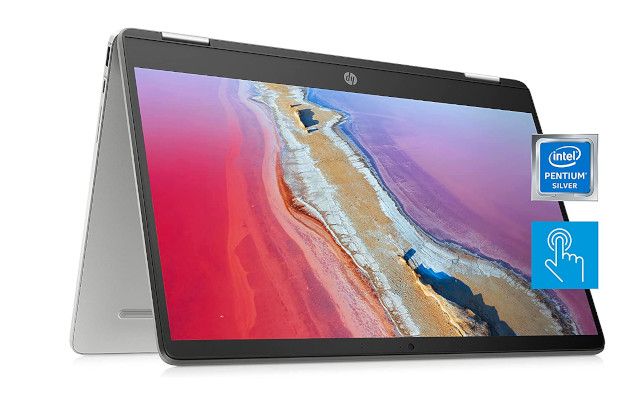
Finding an entry-level Chromebook that balances functionality, durability, and affordability can be a daunting task, especially given the vast range of products on the market. The HP Chromebook 14a-na0226nr is a laptop that seems to tick many of the right boxes, particularly for individuals in need of a device for basic computing tasks that's currently available at a killer price point.

This 2022 model is designed for everyday use, offering a host of features including a 14" HD display, Intel Celeron N4120 processor, 4 GB of RAM, 64 GB eMMC storage, and a suite of connectivity options that's got customers raving about it 24/7. Moreover, its sleek mineral silver finish adds a touch of elegance to its design. 

This technical review will delve into the specifics of the HP Chromebook 14a-na0226nr to assess its overall quality and value, helping you figure out if this is the right Chromebook for you. 

Specs Details
Name HP Chromebook 14a-na0226nr
Processor Intel Celeron N4120 (Total Cores: 4, Total Threads: 4, Base Frequency: 1.1 GHz, Max Turbo Frequency: 2.6 GHz, Cache: 4 MB)
Graphics Card Intel UHD Graphics 600
Display 14" diagonal HD, anti-glare micro-edge WLED-backlit (1366 x 768)
Memory 4GB RAM
Storage 64GB eMMC
Cooling System N/A
Keyboard Full-size island-style keyboard
Connectivity 2x SuperSpeed USB Type-C 5Gbps signaling rate (USB Power Delivery, DisplayPort 1.2); 1x SuperSpeed USB Type-A 5Gbps signaling rate; 1x headphone/microphone combo
Webcam HP Wide Vision HD Camera with integrated dual array digital microphone
Battery Up to 14 hours battery life


Who's this Chromebook for?

The HP Chromebook 14a-na0226nr is an excellent choice for users looking for an affordable, reliable, and easy-to-use laptop for everyday tasks. This makes it an ideal option for students who need a lightweight device for note-taking, research, and coursework, or for professionals who require a dependable machine for email, document creation, and web-based work.

[Review] Acer ‎Spin 311 2H: #1 Budget Chromebook of 2023

Acer Spin 311 3H review
Pros
  • 💾 2-in-1compact design
  • 💾 Touchscreen display
  • 💾 Chrome OS with no more Windows updates
  • 💾 Exceptional battery life
  • 💾 Solid build quality
Cons
  • 💾 HD resolution instead of Full HD
  • 💾 Stylus Pen not included
Designed to handle everyday assignments and schoolwork, Acer's Spin 311 lineup features the best of both worlds – extremely lightweight and versatile laptops with enough power and battery life to run most light tasks without as much as breaking a sweat. 

Sure, these aren't top-of-the-line notebooks but they're not pretending to be as much either. These are Chromebooks that go beyond the extremely affordable entry-level Chromebooks and dive into the mid-range, offering users a budget laptop that will make their Windows days seem like long-gone nightmares. 

With that in mind today we tackle the review of the Acer ‎Spin 311 2H. One of the most popular models within the Spin 311 lineup. A model that has managed to conquer Amazon thanks to its low-consumption MedaTek CPU, intuitive and adjustable touchscreen, long-lasting battery life, and much more. 

But is it the right Chromebook for you? The fact that it managed to become one of the most highly-praised models doesn't necessarily mean it will fit your needs. Today we're setting out to explore everything there is to know about this Chromebook to help you figure out if this is the notebook you've been hoping for. 


Asus Chromebook Flip CX5 CX5400FMA-DN388T-S [Review]

ASUS Chromebook Flip CX5 CX5400FMA-DN388T-S review
Pros
  • 💾 Compact and versatile design
  • 💾 Touchscreen Full HD display
  • 💾 Fast Intel Core i3 processor
  • 💾 Plenty of terrestrial ports
Cons
  • 💾 Limited SSD storage
  • 💾 No HDMI port
Not everyone needs a state-of-the-art laptop with a Xeon processor and a dedicated graphics card that can give NASA a run for its money when it comes to gaming. Some people really just want a simple laptop that doubles as a 2-in-1 so that they don't have to compromise between performance and portability. And if you can also manage that within a tight price point then you've got yourself a winner. 

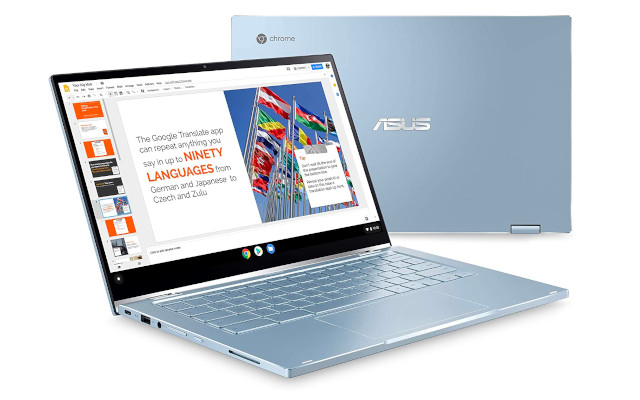
Such is the case of the ASUS Chromebook Flip CX5 CX5400FMA-DN388T-S. A 14-inch Chrome OS convertible that boasts not only excellent reviews by most of its customers but also a relatively affordable price-point that'll have you clicking the "Buy" button so fast you'll punch a hole in your trackpad. 

But is this the Chromebook you've been pining for? Is this the 2-in-1 your heart desires? That's what we're here to find out!


[Review] Asus Chromebook Flip C434TA-DS384T | Killing It!

ASUS Chromebook Flip C434TA-DS384T review
Pros
  • 2-in-1 and lightweight design
  • Vibrant Touchscreen IPS FHD display
  • Backlit full-size keyboard
  • All-day battery life
Cons
  • eMMC instead of SSD storage
  • The digital pen is not included
If you're looking for a versatile, well-built, and budget-friendly laptop for your everyday tasks, ASUS's' Chromebook Flip models are an excellent choice as they perform very well on productivity tasks and streaming videos, aiming primarily at both regular users and students.

That said, in this review of the ASUS Chromebook Flip C434TA-DS384T, we're going to uncover all the features of a highly regarded 14-inch convertible whose unbeatable price point is just one of its best attributes.

Moreover, the C434TA-DS384T boasts a low-consumption Intel Core processor, an intuitive touchscreen display, a comfy backlit keyboard, a superb battery life, and other features you shouldn't miss. However, it's not without its faults, and today we're going to tackle those as well to help you make the best possible decision.


[Review] Lenovo 14e Chromebook 81MH0006US: You Get What You Pay For

Lenovo 14e Chromebook 81MH0006US review
Pros
  • Lightweight and sturdy design
  • 14-inch anti-glare display with excellent picture quality
  • Dual-Core AMD processor
  • Long-lasting battery life (roughly 9 hours of video streaming)
Cons
  • eMMC instead of SSD storage
  • Non-touchscreen display
Are you looking for a student-oriented low-cost laptop? If so, Lenovo's 14e Chromebook is a fast, secure, and reliable notebook that's perfect for students, teachers, writers, and users needing an easy-to-carry laptop with enough horse power to handle your run-of-the-mill basic everyday tasks.

Having said that, in this review of the Lenovo 14e Chromebook 81MH0006US it's time for you to get to know in-depth everything there is to know about this highly-appraised 14-inch laptop that you can't go wrong with since it boasts a very affordable price tag despite offering some fairly interesting features.

Amongst its most outstanding features, the 81MH0006US comes with a sharp and colorful Full HD display, as well as a low-consumption AMD processor, long-lasting battery life, and, of course, the Chrome OS operating system.


[Review] Lenovo IdeaPad Duet 5 Chromebook 82QS0000US

Lenovo IdeaPad Duet 5 Chromebook 82QS0000US review
Pros
  • 2-in-1 convertible design
  • Stunning 13-inch OLED display
  • Up to 10 hours of battery life
  • Chrome OS out the box
Cons
  • The keyboard isn't backlit
  • Lenovo Digital Pen not included
If you're looking for a device that will let you blitz through your basic work without breaking the bank, the Lenovo IdeaPad Duet 5 is a perfect choice. It's ideal for students, young kids, busy professionals, and anyone else who wants a versatile and affordable computer. With its easy-to-use design and portability, the Duet 5 is the ideal device for people on the go.

Having said that, in this review of the Lenovo IdeaPad Duet 5 Chromebook 82QS0000US we're going to uncover everything there is to know about a low-cost 13-inch convertible whose excellent reviews are a testament to its exceptional performance.

Overall, this model features a low-consumption Octa-Core Qualcomm Snapdragon processor accompanied by a superb OLED display, a detachable keyboard, a long-lasting battery life, an easy-to-use UI, and an incredibly lightweight design. But is this the right convertible for you? That's what we're going to find out!


ᐅ HP 14a-ca0023nr Review: A Killer Convertible Chromebook


Pros
  • Powerful Celeron Processor
  • Long-lasting battery life
  • Convertible Design
  • Low price point
Cons
  • Not a Full HD Display
  • The keyboard is not backlit
Chromebooks have become fairly popular over the past few years. What started out as a very niche product has gone on to become mainstream computers that are very common for students or casual users who perform mainly web-based tasks and therefore don't really have a need for a Windows or Mac OS laptop.

Case and point, when you take a look at the listings of best-selling laptops at any given moment you're bound to see more than a couple of Chromebooks in the mix. Such is where you'll find the HP 14a-ca0023nr, the Chromebook we're going to be covering today.

This Chromebook is part of HP's x360 series, meaning it's also a convertible thanks to its touchscreen and flip design. But, is this the right Chromebook for you? That's what we've set out to explore! Let's get on with it!

Who's it for?

=> Students: The HP 14a-ca0023nr is great for students who need a powerful laptop to get them through school. It comes with 4GB of RAM and 64GB of storage, making it perfect for storing a good number of documents, photos, and videos.

=> Casual users: If you're not looking to break the bank and just need a device that can handle all your basic computing needs such as browsing the web, checking emails, streaming music and videos, then the HP 14a-ca0023nr is perfect for you. With its long battery life, you'll be able to go all day without having to worry about charging your Chromebook.

=> Business users: While this Chromebook might not have the horsepower to handle more intensive tasks, it's perfect for basic tasks such as browsing the web, checking emails, managing calendars and collaboration tools with Google apps. While there are better Chromebooks out there for business users, the HP 14a-ca0023nr definitely gets the job done.

HP 11a-na0021nr: Review of a Modest Chromebook

 HP 11a-na0021nr review of a very basic chromebook

Pros
  • Lightweight design
  • Affordable price
  • Anti-glare display
  • Generous Battery Life
Cons
  • HD display
  • 32 GB of internal storage

I'm sure HP has been working hard to make this HP Chromebook 11a-na0021nr the best laptop that they could. With its powerful MediaTek MT8183 processor, up to 15 hours of battery life, and 4 GB of RAM, it's no wonder HP has given it a respectable design to match! With an anti-glare screen, so you can stream your favorite shows without being distracted by glare from outside sources, this Chromebook is definitely worth its extremely low price point!

But regardless of price, the question remains: is this the right Chromebook for you? That's what we are here to figure out in this review of the HP Chromebook 11a-na0021nr.

Who's it for?

=> Students:

A great laptop for a student with a low budget. With its long battery life and MediaTek processor, this is definitely going to be the perfect device to take notes in class on!

=> Businesspeople:

Although most business people already have laptops of their own, some might want it as an extra one or just need a second one for work. It really is the perfect laptop to take with you on business trips, due to its long battery life and lightweight design!

=> Casual users:

For anyone who just wants a cheap device that can do some browsing online without any real complications, this review of the HP Chromebook 11a-na0021nr is perfect!

Who's it not for?

=> Power users:

If you are a power user, then this laptop will almost definitely fall short. It features some pretty basic specs that should only be used for relatively simple tasks.

=> Gamers:

The 11a-na0021nr isn't exactly made for gamers either. This is because there aren't any real graphics card options that will allow games to run smoothly.

=> Developers:

Again, this is a budget Chromebook so it wasn't really designed with developers in mind. Sure enough, you can do some light HTML and Javascript coding but forget about doing anything more complex like launching an Integrated Development Environment or anything of that caliber.


[Review] HP Chromebook 14a-na0024nr: If Only It Had a FHD Display!

HP Chromebook 14a-na0024nr review

Pros
  • Good Build Quality
  • Intel Processor
  • Stylish design
  • Affordable Price
Cons
  • Not a Full HD display
  • 32 GB of storage

Chromebooks are a great option for college students, entrepreneurs, and anyone who wants to get things done on the go. With so many models available it can be hard to find the perfect one that suits your needs and budget.

That’s why we’ve put together this review of the HP Chromebook 14a-na0024nr Laptop. This 14-inch HD Chromebook with up to 13-hours of battery life has everything you need for everyday use at home or on the go.

The Intel Celeron N4020 processor is powerful enough for most basic tasks while still being energy efficient, and the Intel UHD Graphics 600 offers excellent performance without draining your battery too quickly. There's no way around it: it's a pretty decent Chromebook. But; will it suit your needs? That's what we're here to find out!

[Honest Review] HP Chromebook 11a-na0060nr: It gets the job done

 HP Chromebook 11a-na0060nr laptop review

Pros
  • Stylish Design
  • Long Battery Life
  • Octa-core CPU
  • Comfortable keyboard
Cons
  • HD Display
  • Only 32 GB of internal storage

Chromebooks are a dime a dozen these days, but finding the right one for you can be difficult. There are so many to choose from and they all have their own pros and cons. It's hard to know where to start or what criteria are important in a Chromebook purchase.

But don't worry! Today we will introduce you to the HP 11a-na0060nr, HP's latest venture onto the 11-inch touchscreen Chromebook market. This is perfect for you if you're looking to buy an affordable notebook to carry with you everywhere you go and you don't need much more than a browser and your basic Chrome/Android apps to get along with your day.

Not sure if this is the Chromebook for you? Well, let's get cracking!

Review Lenovo Chromebook C330 (81HY0000US): Worth it!

Pros
  • Good Build Quality
  • Convertible design
  • 64 GB of storage instead of 32 GB
  • Long battery life
Cons
  • HD display
  • No backlit keyboard
Buying a Chromebook is not an easy task. There are so many different brands and models out there, each with its own set of pros and cons. Don't even get me started on the difficulty of finding the right convertible. However, once in a while you find that perfect model that's just the right balance of price, specs, and portability that hits all the right spots in all the right ways. Enter the Lenovo Chromebook C330 81HY0000US.

The Lenovo Chromebook C330 is a rather modest little fella. It features a MediaTek processor, 4 GB of RAM, and a generous 64 GB of storage which quickly manages to set this model apart from most of its competitors offering 32 GB. Aside from that you also have the added bonus that it doubles as a tablet - being a convertible and all that - .

All of these features together have helped Lenovo's latest venture into the convertible Chromebook space to be quite a hit, managing to quickly climb the ladder and become one of the best-selling Chromebooks in the market - and that includes non-convertibles -.

However; will it be the right Chromebook for you? That's what we're getting ready to find out in this review of the Lenovo Chromebook C330 81HY0000US.

Chromebooks: The Good, the Bad & the Ugly


Chromebooks have been around for almost a decade now, but they've never really taken off, except in the educational segment. However, lately, there's been a huge surge in their mainstream popularity — and it's not hard to see why.

Chromebooks are cheaper than traditional laptops and can offer many of the same features such as long battery life (depending on your model), lightweight design, and security updates that automatically install without user intervention.

But this technology isn't perfect - Chromebooks often lack some of the more advanced features like Microsoft Office or Adobe Photoshop which might be needed by some users. And while you don't need an internet connection to use one, you will need one if you want to download apps from Google Play or make use of other advanced features, like voice typing.

It's with that in mind that today we're going to tackle the pros and cons of Chromebooks mainly to help educate people about them and provide some much-needed clarity about how they work.

HP Chromebook x360 14a-ca0022nr Review: Great for Students!

Looking for a laptop that can be used as both a tablet and a laptop for those long cramming sessions?

The HP Chromebook x360 14a-ca0022nr is perfect for students and has garnered excellent reviews from them. It’s lightweight, thin, and has decent enough specs to elevate your productivity without emptying out your bank account.

What's more, if you want something that will last all day without needing to plug in or worry about your battery dying midway through class then this might be the best laptop for you. With a battery that lasts up to 12 hours on one charge, it will last all day!

But, is it the right convertible laptop for you? Can I get the job done? That's what we're here to figure out!

[Review] Lenovo Chromebook Flex 3 (82HG0006US): It's OK


Pros
  • Thin and portable design
  • Long-lasting battery life
  • SD card slot to expand storage capacity
  • Low price
Cons
  • HD display
  • The keyboard is not backlit 

Chromebooks are becoming more and more popular. With a variety of different models, sizes, prices, and features available it can be difficult to find the perfect one for you.

With its sleek design, long battery life, and 360˚ display, the Lenovo Chromebook Flex 3 (82HG0006US) is a great choice for anyone looking for an affordable Chromebook with a lot of features at a killer price. But, is this the Chromebook for you? That's what we're going to find out in this review of the Lenovo Chromebook Flex 3!

[Review] Is the ASUS Chromebook Flip C433TA-AS384T Worth It?

Pros
  • Lightweight and thin body with a solid build quality
  • Beautiful Full HD touchscreen display
  • Great 8th generation Intel Core m3-8100Y
  • Backlit Keyboard
Cons
  • Limited connectivity options
  • Storage is only 64 GB

 Chromebooks are on the rise. They're lightweight, don't slow down over time, and they provide a great way to use Google's suite of products like Docs or Sheets in your daily life. But with so many options out there, it can be hard to find the perfect Chromebook for you.

Enter the ASUS Chromebook Flip C433TA-AS384T, one of the most popular Chromebooks in the market thanks to its great battery life, solid performance, backlit keyboard, and very competitive price point.

Today we've set out to get to know this model in-depth as we venture into this review of ASUS Chromebook Flip C433TA-AS384T and uncover everything you need to know about this interesting convertible.

HP Chromebook 14 Laptop (14a-na0021nr) Review: It's ok

        HP Chromebook 14a-na0021nr: review

Pros
  • 14-inch ultrabook design
  • Low-power Intel processor
  • Wi-Fi 5, USB-C connectivity
  • Up to 13 hours of battery life
Cons
  • 32GB of eMMC storage
  • The screen is not Full HD
Sometimes you don't need a state-of-the-art processor with 8 GB of RAM and a dedicated graphics card. Sometimes you're just looking for a portable laptop with a long-lasting battery life that will allow you to browse the web, edit documents, stream movies and chat with friends. 

If that's the case and if you rarely find yourself with more than 10 browser tabs open at any given time then we're happy to inform you that you don't need to spend a fortune on your next laptop, you can get the HP Chromebook 14a-na0021nr instead.

The HP 14a-na0021nr is one of Amazon's best-selling Chromebooks and part of the extremely popular HP Chromebook 14 laptop lineup thanks to its lean price and specs as well as its generally positive reviews that appreciate and see this laptop for what it is: a budget computer for simple tasks and not a powerhouse designed for power users. 


[Review] Lenovo Chromebook Flex 5 (82B80006UX): Brilliant!

 Lenovo Chromebook Flex 5 (82B80006UX): Review

Pros
  • 2-in-1 convertible design
  • Intel Core i3 CPU (10th generation)
  • Up to 10-hour battery life
  • USB-C (x2) Connectivity
Cons
  • No HDMI output
  • Non-upgradable RAM
When searching for a laptop it's easy to get lost in the specs and think we need 32 GB of RAM and an i7 processor to watch a couple of videos and edit a couple of documents. However, more often than not, most users can actually get by simply with a Chromebook.

Of course, this doesn't apply to every user. However, if you're a "light user" who's looking for a laptop to surf the web, edit documents online, stream movies, chat with friends and listen to music then keep reading because you just might've found your next laptop in this review of the Lenovo Chromebook Flex 5 (82B80006UX).

What's more, if you're looking for something that has just a little bit more power than your typical Chromebook and has a versatile touchscreen that allows you to use the laptop as a tablet then this is going to be a no-brainer for you. That said, keep reading as we tackle everything there is to know about a Chromebook that's managed to accrue well over 1000 -mostly positive - reviews.