Disclaimer: 9to5gadgets.com is a participant of the Amazon Services LLC Associates Program. Any valid purchases made through clicking on the links on this site (when directed to Amazon) will garner us a commission.

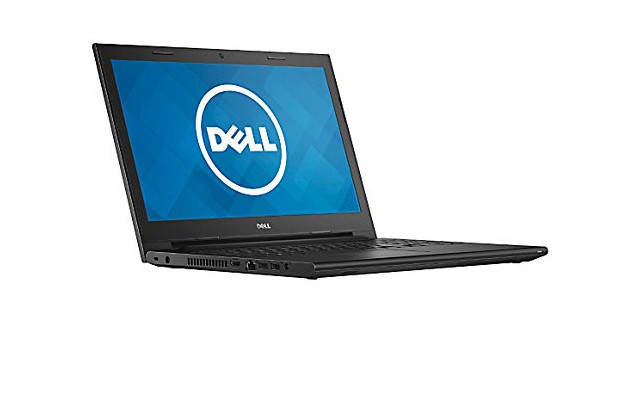
Dell Inspiron i3552-5240BLK Review of the Perfect Student Laptop


Pros: Quad Core processor, 4 GB of RAM, very low price, sleek design, 6 hour battery life, 500 GB of storage, Windows 10 out of the box.
Cons: The RAM is not user upgradable.

Not everybody needs or wants a state of the art laptop. Some people just want a trustworthy notebook with good battery life and good performance for everyday tasks and if that comes with a low price tag then that's even better. It's with this in mind that Dell has launched its new Dell Inspiron 3000 series, a series of budget laptops aimed at "everyday users" that need a laptop for "everyday tasks".

Today we're going to talk about one of such models, the Dell Inspiron i3552-5240BLK. A stylish laptop that stands out thanks to its robust build, quality components and very affordable price point.

That said, there's really no point in procrastinating this posts so let's cut to the meat of the issue and delve right onto the Dell Inspiron i3552-5240BLK review. Are you ready?

[Review] Dell Inspiron i3541-1001BLK Great Features at a Smashing Price

Pros: Quad Core Processor, Long battery life, "serious design", expandable RAM, HD webcam, killer price.
Cons: 2 USB ports.

Some people don't need a laptop with the latest technology to edit 4K videos and play high resolution games. Some people just need a good laptop, with good specs and a strong build to allow them to comfortably surf the web, edit documents, skype with friends a stream movies. It's for these people that Dell has launched it's new Windows 10 notebook under the name Dell Inspiron i3541-1001BLK, a very affordable laptop designed for everyday users.

The Dell Inspiron i3541-1001BLK doesn't excel in any particular area beyond a strong battery life and a tight price point but today we've taken it upon ourselves to delve deep into this laptop to offer you a full review of the Dell Inspiron i3541-1001BLK. 

[Review] Acer Aspire F 15 F5-571T-569T Budget Core i5 Touchscreen laptop


Pros: 8 GB of upgradable RAM, Core i5 CPU, 1 TB of Storage, mid range price, Touchscreen.
Cons: 4th generation Core i5 instead of the standard 5th gen.

With the wide variety of laptops available in the market, finding a laptop that fits our needs is becoming an increasingly difficult task with many people opting to pay for more than what they need simply to get the process over and done with.

However, once in awhile we run into a laptop whose spec/price balance is so good we simply can't bare not to share the knowledge and that's exactly what's happened today, a day in which we share with you guys our review on the Acer Aspire F 15 F5-571T-569T, a touchscreen laptop with a killer price that sets itself apart thanks to its 8 GB of RAM and Core i5 CPU. Now, without further ado, let's delve into this review and get to know a little bit more about this compelling machine.

Buy now

What do people have to say about this laptop? Find out here!

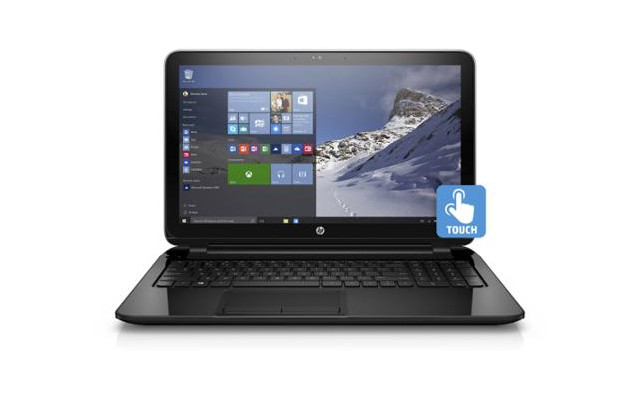
HP 15-F211WM Review of a Budget Touchscreen Laptop


Pros: 15 inch touchscreen, 4 GB of RAM, Windows 10, 2 USB 3.0 ports, Dual Core CPU.
Cons: Not ideal for power users.

It's no secret that touchscreen laptops haven't quite settled into the market since they started appearing on the scene. One of the main reasons for this has been the price point, whereas many of these laptops have come attached to a 600-700 dollar price tag.

However, things are starting to turn a corner and today we'd like to take a minute a share with you guys our HP 15-F211WM in depth review, an attractive Windows 10 laptop which features a 15 inch touchscreen at an extremely affordable price. 

What do buyers think of this laptop? Read the customer reviews here!


Who is this laptop for?


This laptop is good for surfing the web, watching movies, editing documents and so on therefore if this is what you need then why bother spending more on a laptop that will most likely be more than what you need.

HP 15-F211WM In depth review with Pros and Cons

Touchscreen Display on top of an average design


We'll kick things off by talking about the most prominent feature on this HP 15-F211WM laptop; the screen. Specifically, we're looking at a standard 15.6 inch screen with a typical 1366 by 768 pixel resolution with the difference that in this case it's a touchscreen and not your regular "non-touch screen".

We could debate on the utility that a touchscreen brings to the table but if you're reading this review you must have your reasons for wanting a touchscreen laptop.

In terms of design, there's not much new under the sun. The new HP laptop sports the same design as the rest of its colleagues within the 15 series. Such a design entails a black plastic chassis, chiclet keyboard with a dedicated numeric pad and an overall standard weight of just under 5 pounds.

All in all, it's an attractive laptop for sure but it can't hide the fact that it's an entry level laptop with a distinguished screen technology.

Performance on the HP 15-F211WM


Performance on the HP 15-F211WM is good for regular computing chores but it will struggle if you ask it to go beyond that. Basically you're looking at a good laptop for student or office users who won't demand much in terms of graphic performance but are rather contempt with surfing the web, editing documents, watching movies and skyping with friends. Pretty much what 90% of laptop users actually do.

The performance on this laptop is pushed by an Intel Celeron N2840 processor which sports 1 MB of cache, two internal cores and runs at a clockspeed on 2.16 GHz, jumping to 2.58 GHz when need be thanks to the turbo boost feature present on this CPU. This is a good CPU for simple computing tasks but shouldn't be taken seriously for hardcore powerusers.

As far as system memory goes, the HP 15-F211WM bets on a single 4 GB RAM DDR3L module. This is the standard RAM capacity you'll find on most laptops within it's price point so we won't argue with that.

In "english" this means that you'll be able to run several programs at the same time and have quite a few browser tabs open without suffering much lag. However, for improved performance on this machine we would advise you to not go crazy with this.

Finally, rounding up the most technical point of our review, we'd like to say that this laptop comes with an Intel HD Graphics card. It's an integrated graphics card and one that you'll find on most laptops within this price range.


500 GB of Storage and a mysterious battery life


On the storage front, the HP 15-F211WM comes with a 500 GB hard drive that runs at an average speed of 5400 rpm. It's quite sufficient for most users though we would've preferred an SSD module instead since it would be faster even if that meant having less overall storage.

That said, right now it's pretty hard to find a laptop within this price range that sports anything over 32 GB of SSD storage and given the choice we would definitely opt for the 500 GB hard drive.

Moving on to battery life, not much in known about the HP 15-F211WM battery life. However, if we consider that this laptop comes with a 3 cell battery and look at other laptops that share similar specs, we can conclude that this model will provide us with roughly 4.5 hours of battery life which isn't half bad for a budget laptop.

Ports and Stuff


Finally, when it's time to talk about ports, we're glad to say that everything's in place. We've got a CD/DVD reader, 3 USB ports (2 USB 3.0 ports), HDMI output, high speed WiFi connection, Bluetooth as well as your standard card reader, ethernet input and webcam with an integrated digital microphone.

I believe we've already stated that the HP 15-F211WM comes with Windows 10 home edition and other than that there's not much left to say.


Verdict: Should you buy the HP 15-F211WM laptop?


Wrapping things up on this HP 15-F211WM review, it's time to share our verdict which, as always, depends greatly on your specific needs. That said, we believe that in the price/spec ratio, this is a pretty solid competitor thanks to it's very low price point. 

If you're looking for a touchscreen laptop and don't mind taking on a simple computing experience in exchange for saving big bucks then this laptop is a sure way to fit your needs. It's not a laptop for everyone, the most demanding users will completely ignore it but for those of us who don't live glued to the screen then it's a good option.

[Review] Toshiba Satellite C55-C5379 Pros and Cons

Pros: 8 GB of RAM, Brushed metal design, mid range price, Core i3 CPU at 2.0 GHz.
Cons: 500 GB of storage.

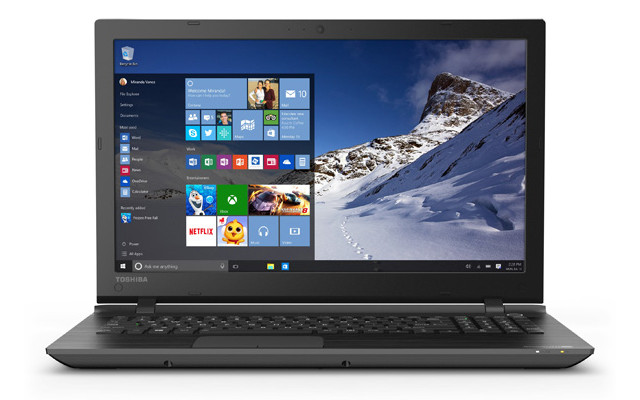
Toshiba has made a name for itself on the laptop market for its durable yet affordable laptops that typically manage a good balance between price and specs. Today we're going to take a look at one of such laptops. Under the name of Toshiba Satellite C55-C5379 comes a very interesting laptop that stands out thanks to its 8 GB of RAM, Core i3 CPU and affordable price tag (check price here).

What are people saying about this laptop? Click here to find out!

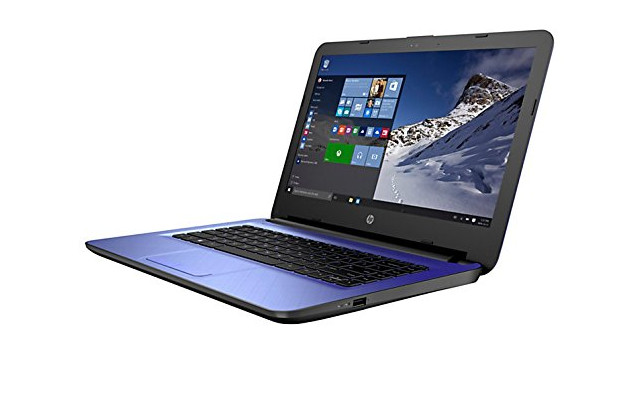
Review of the HP 14-ac159nr Compact, Elegant, Efficient and Cheap


Pros: Lightweight, Intel Celeron N3050 CPU, 32 GB of SSD storage, 14 inch screen, Windows 10, low price point.
Cons: Not a gamers laptop, only has 2 GB of RAM.

It's no secret that the budget laptop market is in its peak. Cloudbooks are selling at ridiculously low price points and chromebooks continue to lead the pack as best sellers within this category. With that in mind, today we'd  like to talk to you guys about one of the most promising new cloudbooks within such segment, the HP 14-ac159nr.

The HP 14-ac159nr is a stylish new cloudbook that sets itself apart thanks to its modern design, its extremely low price tag and, of course, its integration of the Windows 10 operating system straight out of the box. If you wanna know more you're in luck since all you have to do is keep reading to find out everything you need to know on this in depth review of the HP 14-ac159nr.

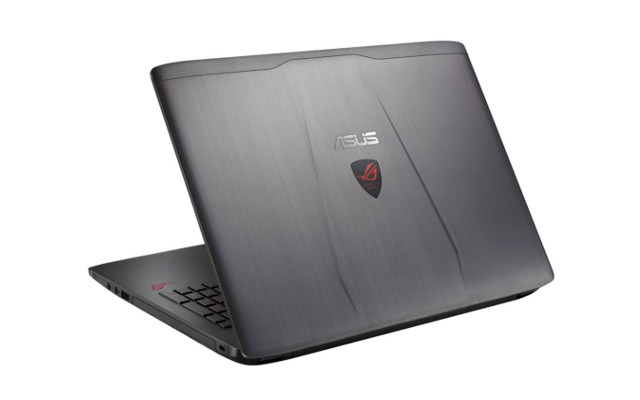
[Review] Asus ROG GL552VW-DH71 an Affordable yet Incredible Gaming Laptop


Pros: Full HD screen, Desktop Type CPU, Nvidia dedicated Graphics card, 16 GB of RAM, good price/spec ratio.
Cons: Hard Drive instead of SSD.

Finding the perfect laptop is not an easy endeavour and if you add to that finding the perfect gaming laptop the word "challenging" comes to mind. That said, it's not impossible to find a good gaming laptop that sports a healthy balance between its specs and its price tag.

With that in mind, today we wanna share our review of the Asus ROG GL552VW-DH71, a gaming laptop that does a pretty good job at balancing a tight price point with its high end specs.

 The newly launched laptop stands out thanks to its Full HD screen, its 16 GB of RAM and it's dedicated Nvidia graphics card with 2 GB of VRAM amongst other things. Wanna know more? Then keep on reading to find out everything you need to know in our full in depth review.

¡Click Here to see what buyers are saying about this laptop!

Xiaomi Redmi Note 3 5 Pros and 5 Cons You Need to Know


It's no secret by now that both Xiaomi and Meizu are taking over the smartphone market. Both companies keep launching spectacular phones at even more spectacular prices. Today we're gonna take a deeper look at one of the most recent launches; the Xiaomi Redmi Note 3.

Launched just a few days ago, the Xiaomi Redmi Note 3 comes as a successor to the highly successful Redmi Note 2 and features a metal body, fingerprint scanner,  and a 3 GB RAM option as it's biggest selling points.

SEE ALSO: Xiaomi Redmi Pro with OLED display ¡The Pros and Cons you can't ignore!

However, it's not all peaches and roses with the Redmi Note 3, it also has its cons. Taking that into account, today we're gonna delve into the pros and cons of the Xiaomi Redmi Note 3 to help you decide if the new flagship is a winner or a loser.

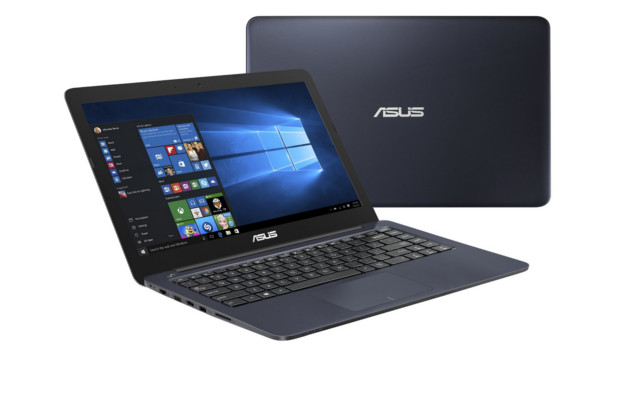
[Review] Asus E402MA Stylish design with a Decent Performace


Pros: SSD storage, compact and lightweight design, Windows 10 out of the box, 8 hour battery life, budget price point.
Cons: No DVD reader, 2 GB of RAM

Lately we're witnessing a growing trend in the cloudbook department. That is; laptops with limited SSD storage, basic specs and a pretty low price point below the $200 mark. This set of laptops have arrived to compete against the almighty chromebooks which are slowly but surely eating up the budget laptop market.

Today we take a stab at one of the most attractive cloudbooks in the market, the Asus E402MA, a laptop that takes it's cue from microsoft and offers decent performance at a very low price point. Wanna know more? Then read up on our full Asus E402MA review to discover if this laptop will fulfill your needs or if you should get back to your search.

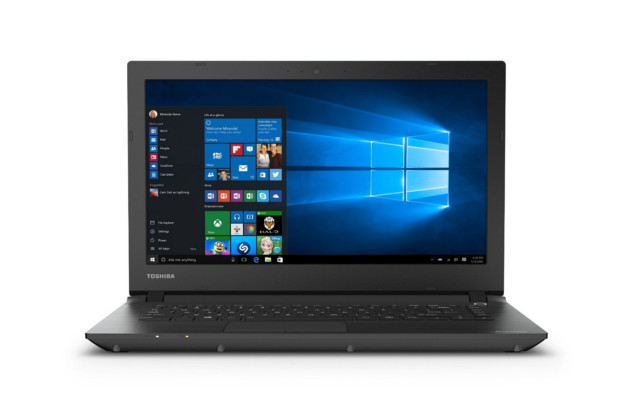
[Review] Toshiba CL45/C4335 Perfect Laptop at the Perfect Price


Pros: 64GB SSD, 14 inch screen, up to 7 hours of battery life, budget price point
Cons: 2 GB of RAM

With tablets taking over the market, laptop prices have dropped significantly over the years. You no longer NEED a laptop to surf the web, watch movies and keep up with your friends on social media. No, you can do all that with a tablet.

With that in mind, laptop manufacturers were forced to innovate or die and so came the infamous cloudbooks, Microsoft's response to the chromebooks as well as the tablet crisis. So far we've seen a few interesting cloudbooks hit the market like the Lenovo S21E we reviewed a few months ago and today we're looking at the Toshiba CL45/C4335.

The newly released Toshiba cloudbook stands out thanks to its sleek design, 64 GB SSD drive and its 14 inch screen. All in all it's a pretty basic laptop that doesn't disappoint thanks to its speedy SSD and its ultra affordable price. That said, it's time to dive right to it in this Toshiba CL45/C4335 in depth review.

[Review] Dell i5558-2147BLK, 6GB of RAM and 7 Hour Battery Life

Pros: 6 GB of RAM, 7 hour battery life, 1 TB of storage, Windows 10, (see price here)
Cons: No SSD storage.

Dell isn't particularly known for manufacturing affordable laptops, on the contrary; the company's know for building quality products at a high end price. That's why when Dell decides to dip its toe into the "budget laptop" territory, people are going to pay attention. Dell laptops have a strong build, good quality components and overall have a longer lifespan than other laptops (Macbooks aside, of course).

That said, today we'd like to take a look at the Dell i5558-2147BLK, an affordable laptop that stands out thanks to its 6 GB of RAM, 5th generation Core i3 CPU and of course its integration of Windows 10 OS straight out of the box. Care to know more? Then read on for our in depth review of the Dell i5558-2147BLK.


Ulefone uWear Review, an Interesting Smartwatch under $30


Pros: Low price point, 2.5D responsive screen, good battery life, attractive design, vast set of functions, anti lost function to track your phone.
Cons: Basic interface, no access to a play store, only two watch faces, you're much better off with an LG G Watch for $80

It's no secret that wearables have become a trend in and of itself, particularly smartwatches. These gadgets have come here to stay and since the launch of high profile smartwatches such as the LG G Watch Urbane or the Pebble, there's also been a proliferation of cheaper models that don't use Android Wear but a more simple OS. Today we've come to share our review on one of the latter models, specifically; the Ulefone uWear. 

The Ulefone uWear is a cheap smartwatch, under $30 who's biggest selling points come from its price point as well as its refined design. The Ulefone smartwatch clearly wants to be an Apple Watch look alike, even opting to introduce a false magnetic charger in it's back.

We say false because it's merely a decorative addition to the smartwatch because the uWear gets its juice from a microUSB port located below a false upper button. However, we're starting to ramble so how about you come on over and find out more about this smartwatch on our Ulefone uWear review.

Review of the Asus X550ZA-WH11 Quad Core, 8 GB of RAM and Windows 10


Pros: Quad Core AMD CPU, 8 GB of RAM, Windows 10, Radeon R6 graphics card, DVD reader, 1 TB of storage, balanced price point (check price).
Cons: 5 hour battery life.

Finding the perfect laptop is no easy chore. Generally we'll go through dozens of models before we arrive at one that finally get's us to cave in and for a laptop to get us excited, one of the biggest demands is that it provides a good price/specs relationship.

That said, today we're excited to talk to you about the Asus X550ZA-WH11, a very balanced laptop that stands out thanks to it' affordable price , its 8 GB of RAM and its powerful quad core AMD CPU.

Wanna know more? Then read on to find out every last detail on this full review of the Asus X550ZA-WH11.


What do buyers think? ¡See All the Costumer Reviews!


[Review] Toshiba Satellite C55-B5277 a Basic Windows 10 Laptop


Pros: Low price point (check price here) 15.6 inch screen, Windows 10 off the box, 500 GB of storage.
Cons: 2 GB of RAM, outdated CPU.

Not everyone needs a top notch laptop with an i7 processor and 8 GB of RAM. Some people just need a laptop to surf the web, watch movies and edit documents. This isn't a bad thing. Contrary to what some techies might believe, there ARE PEOPLE WHO DON'T LIVE ONLINE. That said, today we're going to talk about a laptop designed specifically for such an audience: the Toshiba Satellite C55-B5277, an interesting laptop that gets the job done at a pretty low price. 

Wanna know more? Then don't be shy and read on to find out everything you need to know in this Toshiba Satellite C55-B5277 review where we'll expose the pros and the cons as well as tell you if this laptop is worth your money. See: Asus F555LA-AB31 The Ultimate W10 laptop

Review Asus F555UA-EH71 Core i7, Windows 10 and more


Pros: Core i7 6500U Skylake CPU, 8 GB of RAM, 1 TB of Storage, DVD reader, Windows 10, low price point (see price here)
Cons:3-4 hour battery life

Finding a Core i7 laptop under $600 or even under $700 is no easy task. However, Asus seems to be stepping up to the plate today as it launches the new Asus F555UA-EH71, a sixth generation Core i7 laptop with 8 GB of RAM that's currently on sale for just under $600 (see price here). If you've been looking to get your hands on a laptop like this then don't go away and read our in depth review on the Asus F555UA-EH71.